Recurring Tasks
Obligations, reminders, and repeating work kept in a single calmer workspace. Overdue tasks surface first. Everything else waits.
Operational discipline without a ticketing system.
Recurring tasks represent the other half of life which doesn't necessarily fit into habits focused on personal growth. Do you want to call your parents weekly but often forget because you're so busy? Need to remember to schedule a specific appointment every 6 months, or plan a date with your wife on a regular basis?
Recurring tasks are all about taking care of the varying but regular responsibilities you have. Or perhaps you want to try something new every other month (like reading an academic article) and need the "permission" to do so as part of a regular program. It's all configurable here.
Start using recurring tasks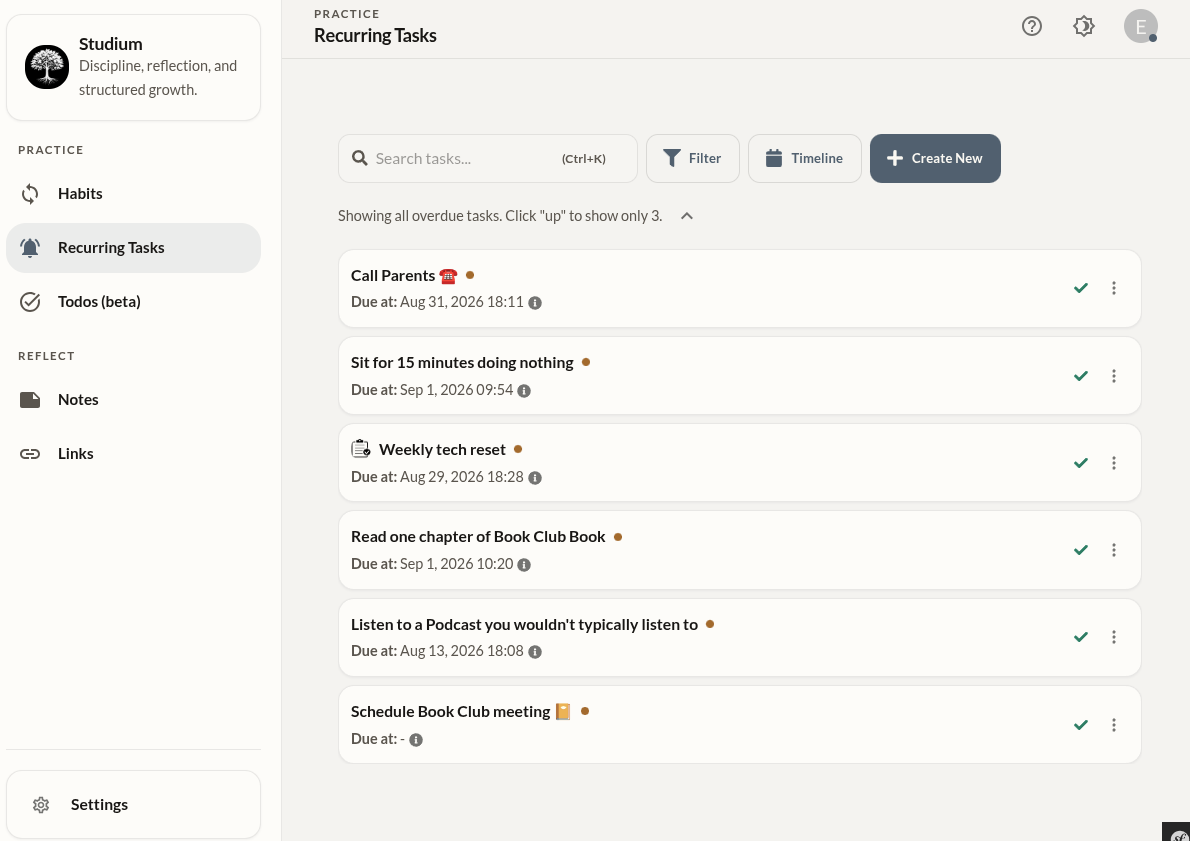
Habits vs. recurring tasks.
The distinction in Studium between habits and recurring tasks reflects a meaningful difference in their nature. Habits are practices you're cultivating — they live in your identity and benefit from daily completion. Recurring tasks are obligations — they have external deadlines and exist independently of whether you feel like doing them.
Habits
No due date. No snooze. Completed or not completed — both are valid. Best for behaviors you want to build into your identity.
Recurring Tasks
Have a due date. Can be snoozed. Overdue items are surfaced. Best for obligations with real-world consequences if neglected.
Working with recurring tasks.
Create a task
Add a task with a name and a recurrence interval in hours, days, or weeks — whatever cadence the obligation actually needs.
Triage daily
Open the task list and address overdue items. Complete what's done, snooze what isn't. The list should clear quickly — it's not meant to be a long-running queue.
Search when needed
Press Cmd/Ctrl + K to jump into search. Useful when the list grows large and you need to find a specific task quickly.
Review history
Open the timeline view to see completion history for any task. Useful for spotting tasks you keep snoozing — a signal they may need to be removed or rescheduled.
How reminder delivery works.
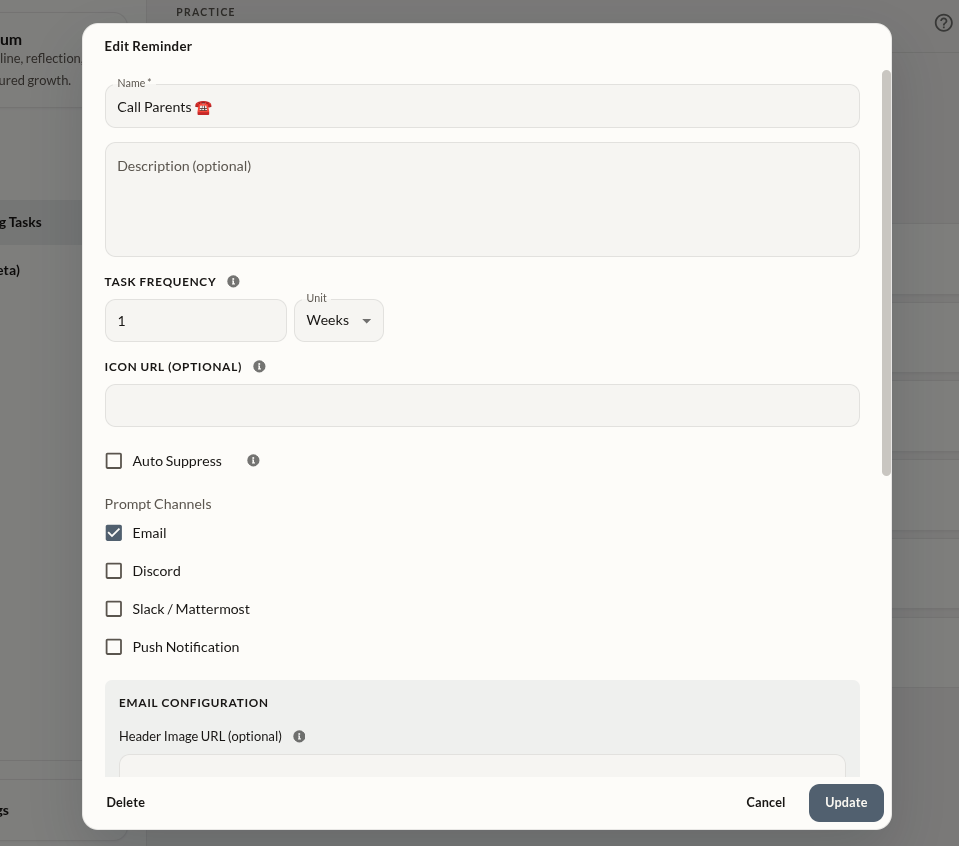
Studium can send recurring task reminders via a number of different platforms. If you've enabled notifications, when a task is due, you'll be reminded that it's time to take care of it again.
Customizable Notifications
Reminders can be configured to "prod" you via Email, Slack, Mattermost, Discord, Push Notification, and more in the future.
Highly customizable
Each task can be assigned 1) its own interval - how often it should be done, 2) how often you want it to "prod" you about it when it is overdue, or not at all if you prefer.
Getting the most from recurring tasks.
- Snooze is not failure. Snoozing a task when circumstances don't allow completion is the right response. Use it without guilt.
- Keep the recurring task list for real obligations. If something is a nice-to-do rather than a must-do, it probably belongs elsewhere — or nowhere.
- Use the timeline view quarterly to audit your task list. Tasks you keep avoiding are candidates for removal or restructuring.
- The search shortcut (Cmd/Ctrl + K) makes a long list manageable. Use it instead of scrolling.