Habits
A focused view of the few behaviors that matter most. Tap to complete — the rest is optional.
Set a path for personal growth
The habits view defaults to a plain list of your active habits. These are the behaviors you've decided matter, to be marked complete as you go. If you want to see how you're doing, switch to the history view for a completion-rate chart, or open a habit for its own score history and your notes.
Start tracking habits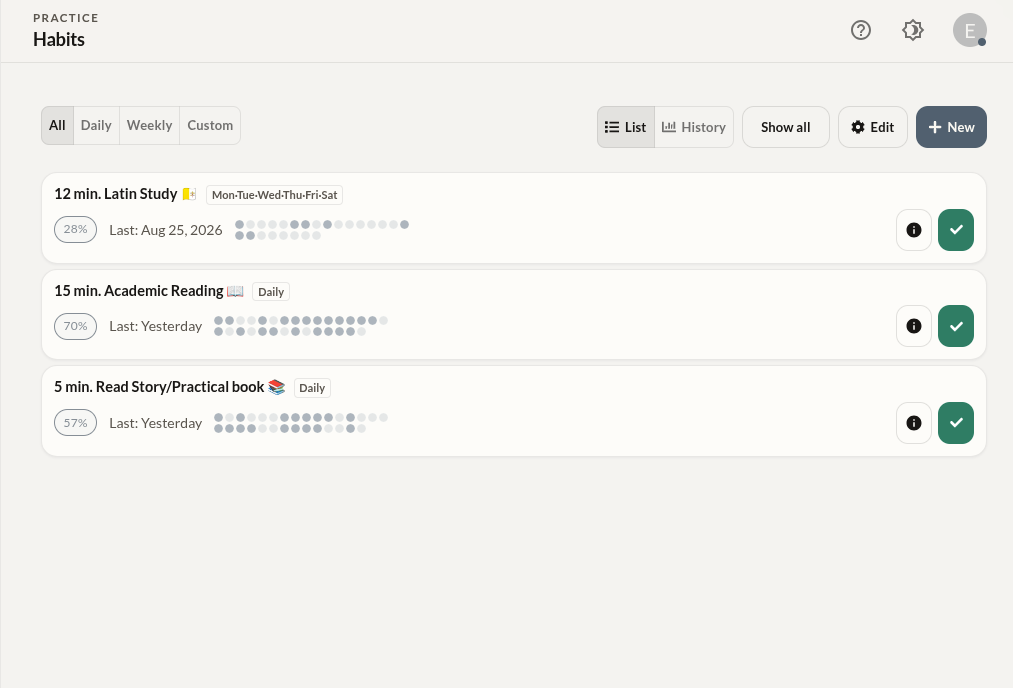
How to use the habits system.
Add a habit
Start with one or two behaviors that genuinely matter to you. Enter edit mode to add a new habit with a name and any relevant notes.
Complete it daily
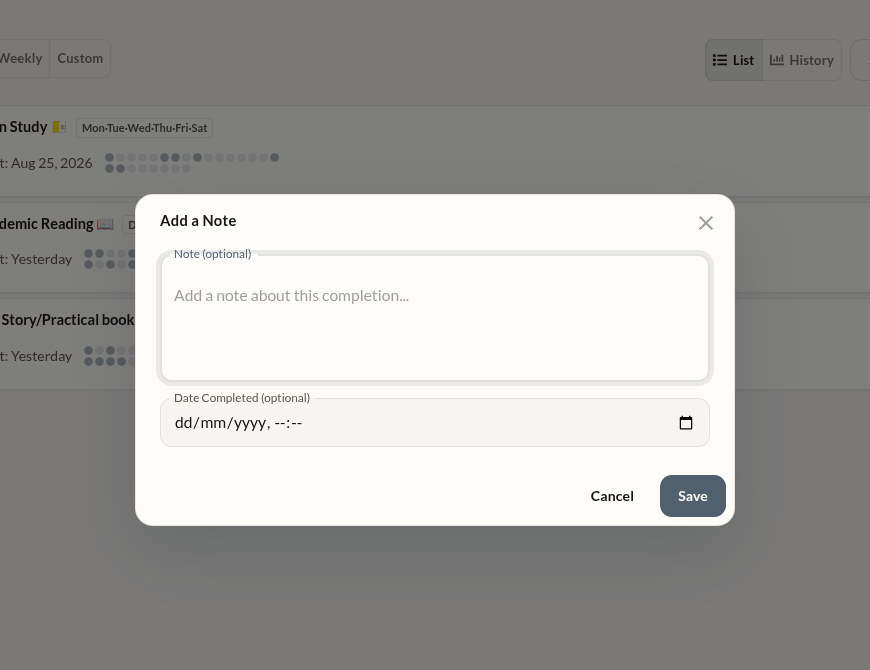
Tap once to mark a habit complete. To add a completion note, Ctrl / Cmd + Click (mobile long-press) to add a note or adjust the completion time. That's the entire workflow.
Review history
Switch from list view to history view for a completion-rate chart across your habits, or open any habit for its own score history and completion notes.
Reorder by priority
Use edit mode to drag habits into priority order. The highest-leverage behaviors belong at the top, where you see them first.
Getting the most from habits.
- Keep your habit list short. Seven or fewer habits is usually better than ten. The list should represent what you're actually committed to practicing.
- Add a note when you complete a habit — long-press on mobile, or open the habit's detail view. A short note on a difficult day or a good one builds a richer record than checkmarks alone.
- If you miss a habit, don't delete it — just come back. The absence of a completion is already recorded in history. Adding a note about why can be valuable on its own.
- Review your habit list every few weeks. If you haven't completed something in a long time, it may not belong in the system. Remove it without guilt.